Sequel
Sometimes the simplest misconfiguration is the most damaging. Sequel is a very easy Linux box that exposes a MariaDB instance with no root password — no exploits required, just knowing to try the door before assuming it’s locked.
Overview
This box runs a single service: MySQL/MariaDB on port 3306. The entire challenge is recognizing that the database accepts unauthenticated connections as root, then methodically enumerating databases and tables until you find the flag. It’s a great introduction to database enumeration methodology and a real-world reminder of how often default or missing credentials appear in the wild.
Reconnaissance
A quick Nmap scan reveals a minimal attack surface — exactly one open port:
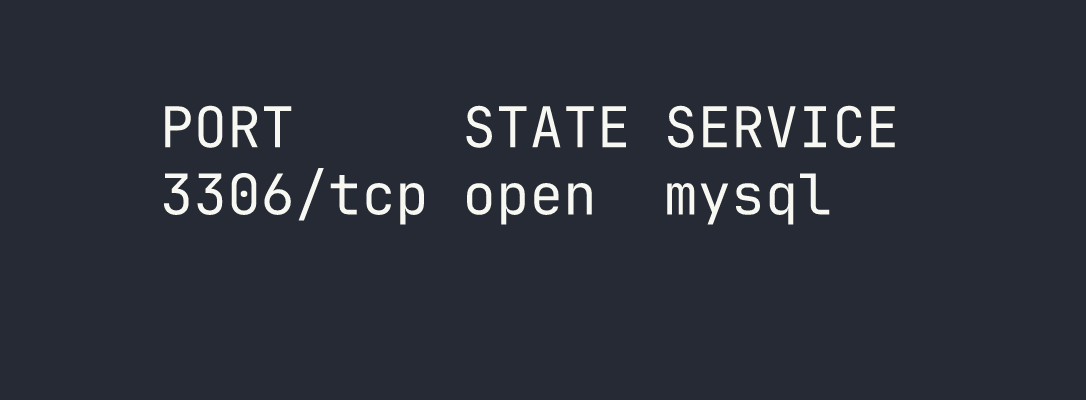
Only one port, only one avenue of attack. MySQL/MariaDB on 3306 is immediately interesting because exposed database services are notorious for weak or missing authentication. Before reaching for any exploitation tools, the right instinct here is to try connecting directly — unauthenticated.
Foothold
Connecting to MariaDB
My first attempt was a straightforward connection as root with no password:
mariadb -h $TARGET -u root
This failed with a TLS/SSL handshake error — the client and server couldn’t agree on a protocol version. Rather than dig into certificate configuration, the quick fix is to simply tell the client to skip SSL negotiation entirely:
mariadb -h $TARGET -u root --skip-ssl
That worked. We’re in — as root, with no password, on a remotely accessible database server. This is exactly the kind of misconfiguration that gets production databases breached.
Database Enumeration
With a shell in MariaDB, the methodology is straightforward: list everything, then drill down. Start with what databases exist:
SHOW DATABASES;
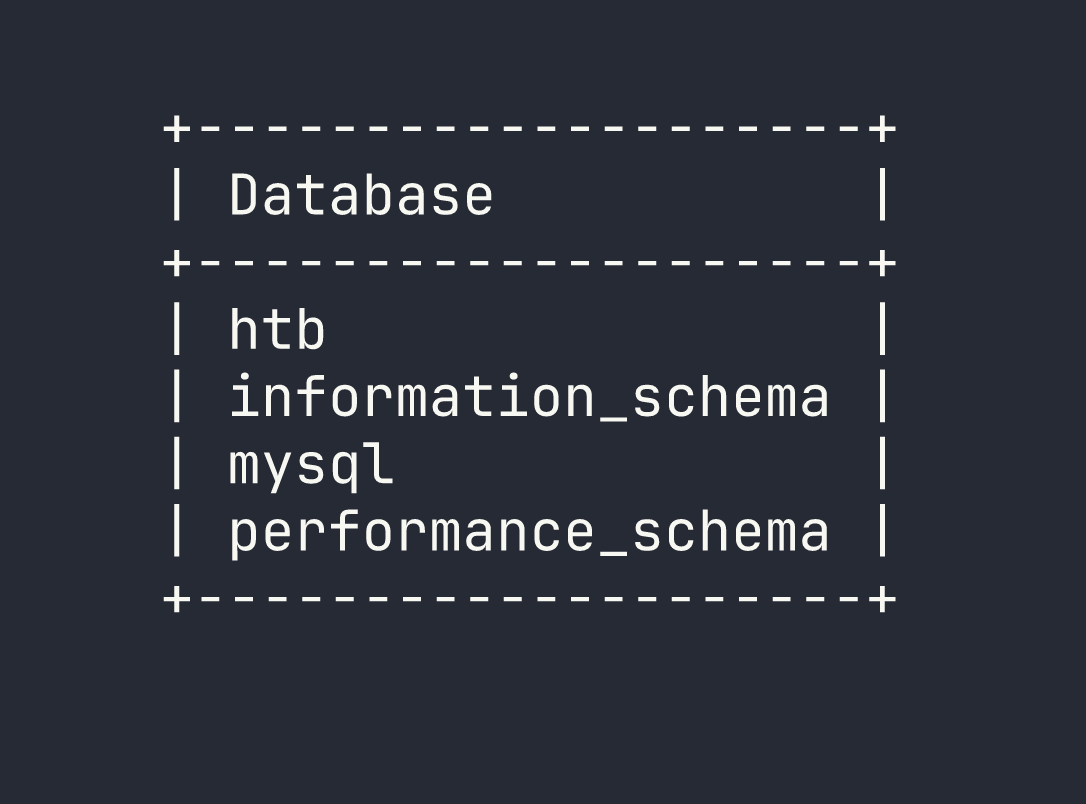
The htb database stands out immediately — the standard MySQL system databases (information_schema, mysql, performance_schema) are noise here. Switch to it and see what tables are available:
USE htb;
SHOW TABLES;
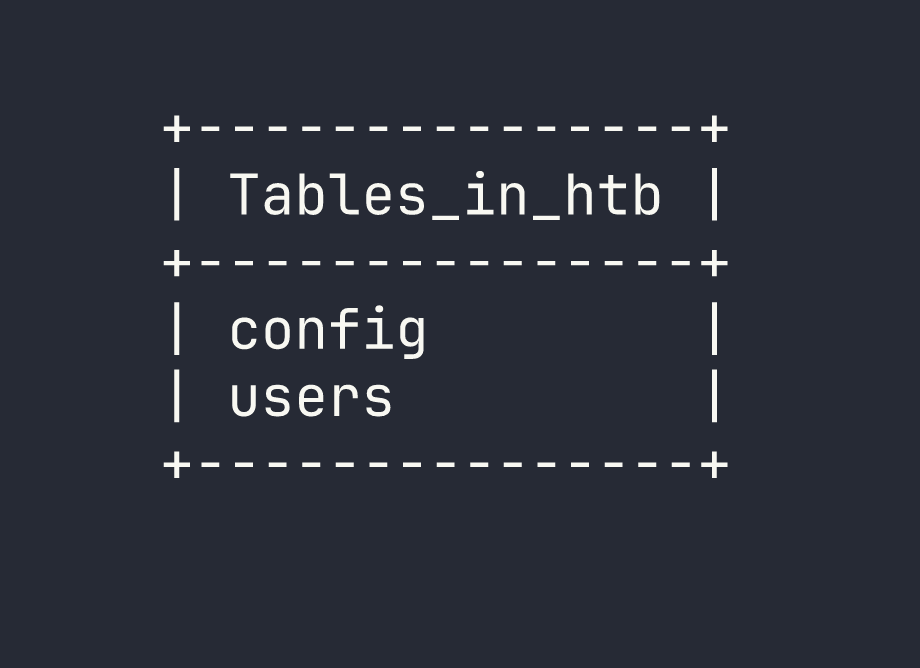
Two tables: config and users. In a real engagement, both of these would be high-value targets — users for credentials and PII, config for API keys, secrets, and application settings. Let’s check config first:
SELECT * FROM config;
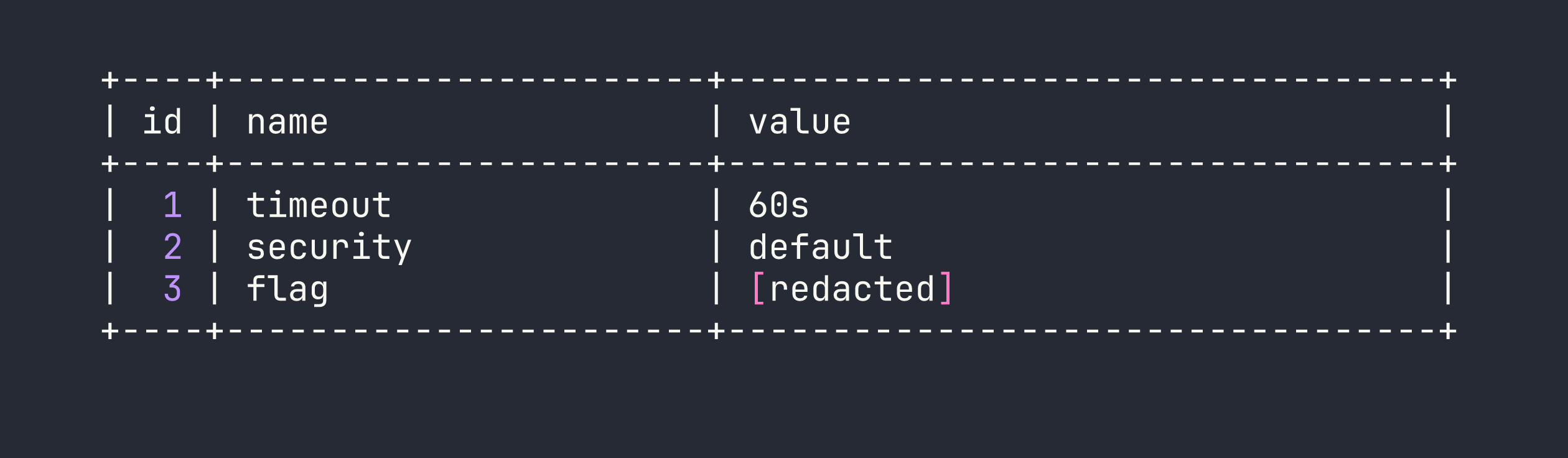
Flag stored directly in the config table. Box complete.
Lessons Learned
Always try unauthenticated access first. Before attempting any exploitation, try connecting to database services with no password or common defaults (root/root, admin/admin, blank). This is an embarrassingly common misconfiguration in development environments that sometimes make it to production.
The --skip-ssl flag is a useful troubleshooter. When a MariaDB/MySQL connection fails with a TLS-related error, --skip-ssl bypasses the negotiation entirely. This is worth knowing for CTFs and internal network assessments where you control the client.
Methodical enumeration matters even in simple scenarios. SHOW DATABASES → USE <db> → SHOW TABLES → SELECT * FROM <table> is the correct muscle memory to build. Flags and secrets can live anywhere — config tables, users tables, custom schemas. Don’t stop after the first table.
This pattern repeats across services. Sequel is essentially the same lesson as the Redis box Redeemer: exposed network services running without authentication are a critical finding. Redis, MongoDB, MySQL, Memcached — all have histories of being deployed with auth disabled. When you see these ports open on an external scan, always try connecting before assuming credentials are required.